
Available now
Reduce size confusion before checkout.
Mitasu for Apparel helps Shopify fashion stores add size charts, model-worn info, material notes, Q&A, complete the look, fit feedback, and size confidence signals to product pages.
Give shoppers the information they need before they buy, and support fewer size-related returns and pre-purchase questions.
- Free plan, no card needed
- Zero global scripts
- Data stays in your store
Running an apparel store — do any of these sound familiar?
-
Returns
Shoppers can’t judge size or fit, so it doesn’t fit when it arrives — and comes back.
-
Questions
“What’s the length?” “How thick is it?” — pre-purchase questions pile up.
-
Upkeep
Rebuilding sizing and details product by product takes real time to maintain.
Apparel-specific information sections
All the apparel-specific product information, in one block.
Show only what your store needs: size charts, complete the look, model-worn info, product data already in Shopify, material notes, Q&A, fit feedback, and size confidence — organized for shoppers deciding before they buy. The demo below is the actual block as it appears on a storefront.
Live demo — try it
It will be displayed on your storefront product page.
Size suggestions apply a standard apparel sizing method and are calculated entirely in the shopper's browser. Nothing is sent anywhere, so they stay fast, consistent, and reliable.
What this tab does
Size charts & measurement guideChoose from 68 charts for garments, shoes, socks, bras and hats — cm/inch with US/UK/EU/JP conversions where they apply, and a built-in fit finder on garment charts that suggests a size from the shopper's own measurements.
Find my size
Any single measurement is enough — we'll highlight the closest size.
Tip: measure over light clothing and keep the tape snug, not tight.
Chest
Measure around the fullest part of your chest, keeping the tape horizontal.Lay the garment flat and measure straight across between the armpits.
Length
Measure from the highest shoulder point straight down to the hem.Measure from the highest point of the collar straight down to the hem.
Sleeve
Measure from the shoulder seam to the cuff.Measure from the shoulder seam to the end of the cuff.
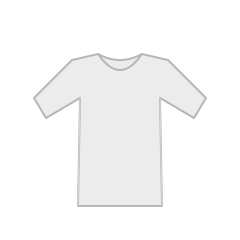
Lay a well-fitting garment flat and measure it at the marked lines, then enter the numbers.
Preferred fit
Restored your previous measurements.
Your measurements are only used to suggest a size — they are never sent to or stored by the store (they stay in your browser only).
Type a measurement and your size is calculated automatically — the more you add, the more accurate it gets.
This is an estimate from your measurements — please use it as a guide.
Shoppers say this runs small — if between sizes, consider one size up.
| Size | US | UK | EU | JP | Chest | Length | Sleeve |
|---|---|---|---|---|---|---|---|
| XS | 0-2 | 4-6 | 34 | 5-7 | 80–83 cm31.5–32.7 in | 56 cm22 in | 19 cm7.5 in |
| S | 4-6 | 8-10 | 36 | 7-9 | 84–87 cm33.1–34.3 in | 58 cm22.8 in | 20 cm7.9 in |
| M | 8-10 | 12-14 | 38 | 9-11 | 88–92 cm34.6–36.2 in | 60 cm23.6 in | 21 cm8.3 in |
| L | 12-14 | 16-18 | 40 | 11-13 | 93–98 cm36.6–38.6 in | 62 cm24.4 in | 22 cm8.7 in |
| XL | 16-18 | 20-22 | 42 | 13-15 | 99–104 cm39–40.9 in | 64 cm25.2 in | 23 cm9.1 in |
| XXL | 20-22 | 24-26 | 44 | 15-17 | 105–110 cm41.3–43.3 in | 66 cm26 in | 24 cm9.4 in |
All measurements are garment measurements, taken with the item laid flat.
What this tab does
Fit feedbackCollect "runs small / true to size / runs large" votes from real buyers and put them to work for the next shopper (anonymous counts only).
Size confidenceTurn fit votes and return tendencies into a sizing signal that helps shoppers choose — with any caveats surfaced up front.
Fit
Tight
51%
Just right
37%
Loose
11%
Based on responses: 43
Already own this? Tell others how it fit.
Size confidence
Tends to run small — consider sizing upbased on 43 responses
What this tab does
Model-worn infoShow each model's height, worn size, and fit comment with a photo, so shoppers can judge fit from a body close to theirs.
Complete the lookSuggest related items in a lightweight carousel. Help shoppers picture the full outfit, and support product discovery.
Model fit
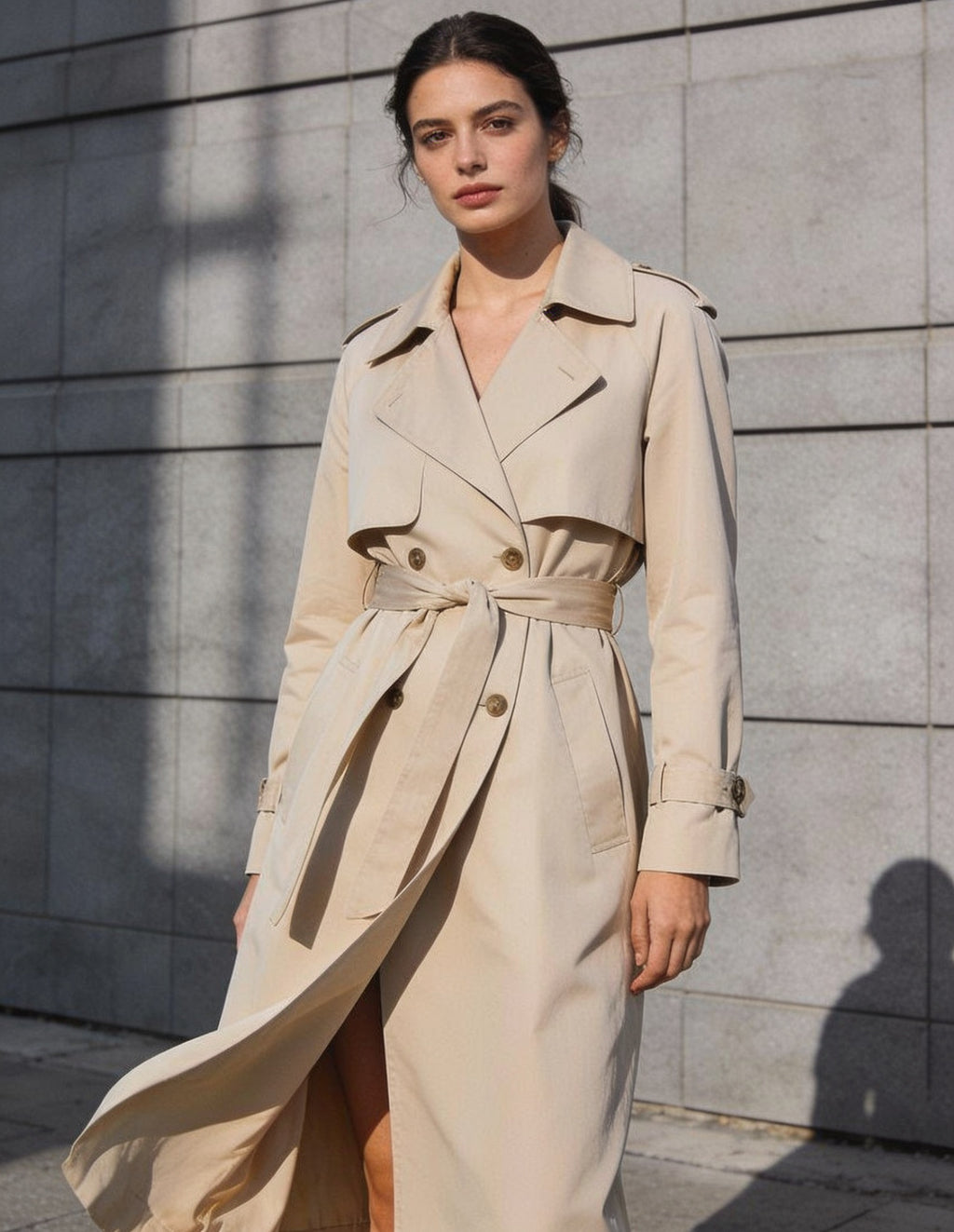 Aiko5'7" / 132 lbwearing size: SRegular fit
Belted waist cinches the silhouette — S was true with room to layer underneath.
1 / 1
Complete the look
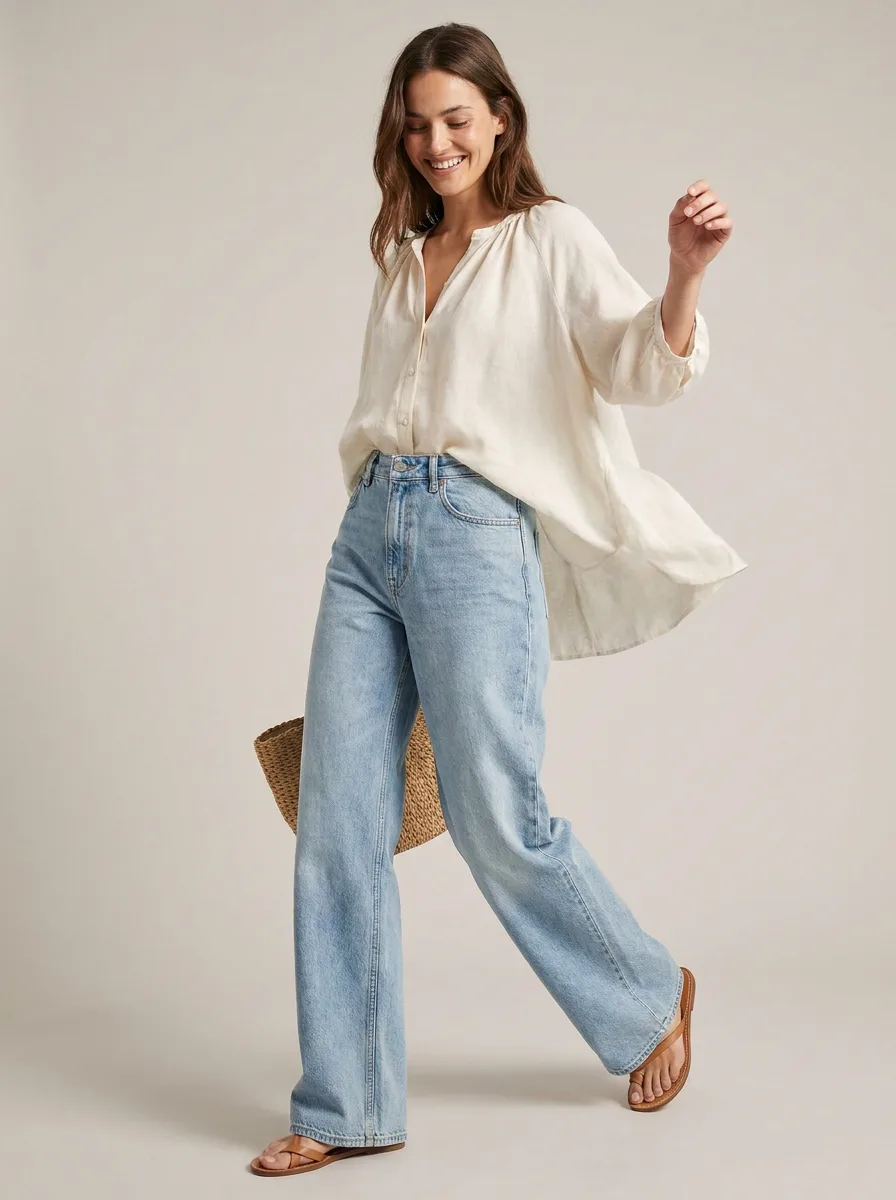
Airy linen up top balances the fluid wide-leg silhouette below — breezy and put-together.
Shop the look
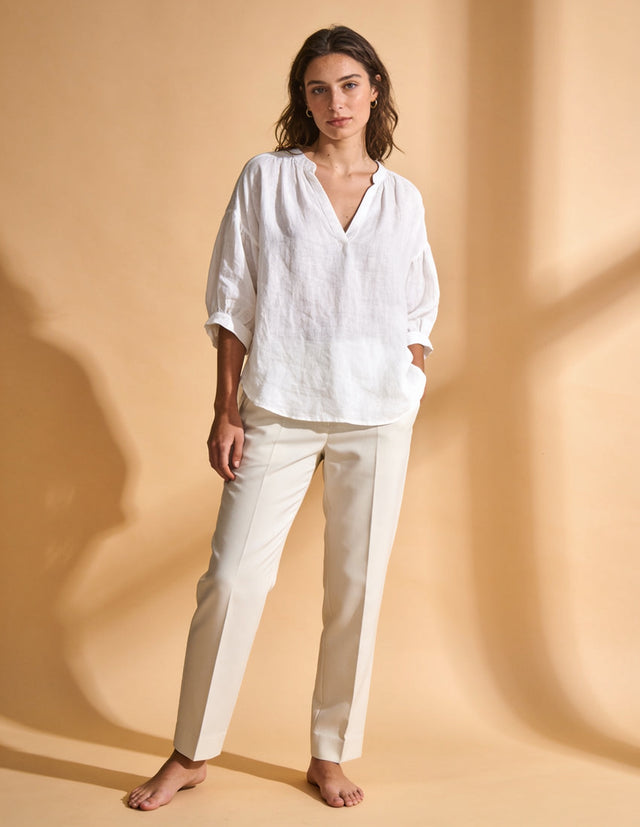 Relaxed Linen Blouse
$64.00
Relaxed Linen Blouse
$64.00
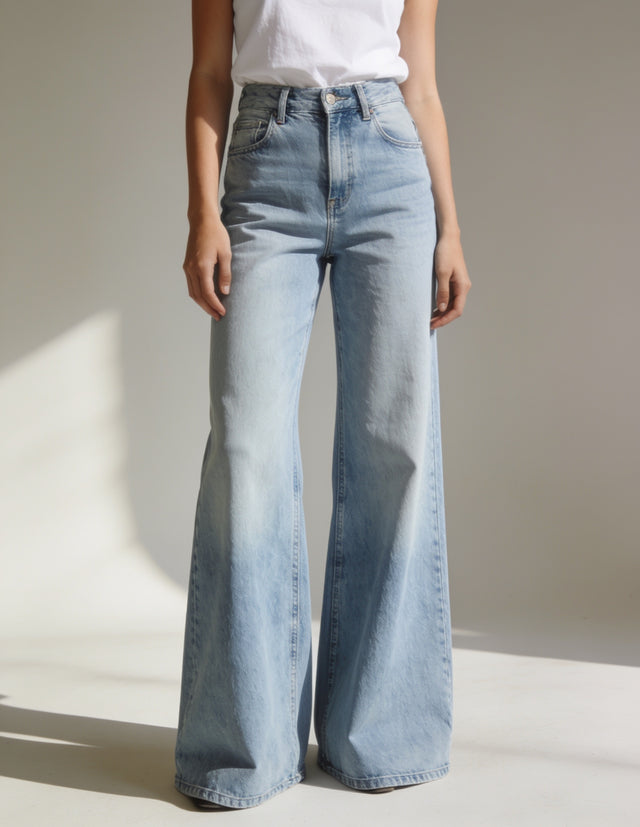 High-Rise Wide-Leg Jeans
$92.00
High-Rise Wide-Leg Jeans
$92.00
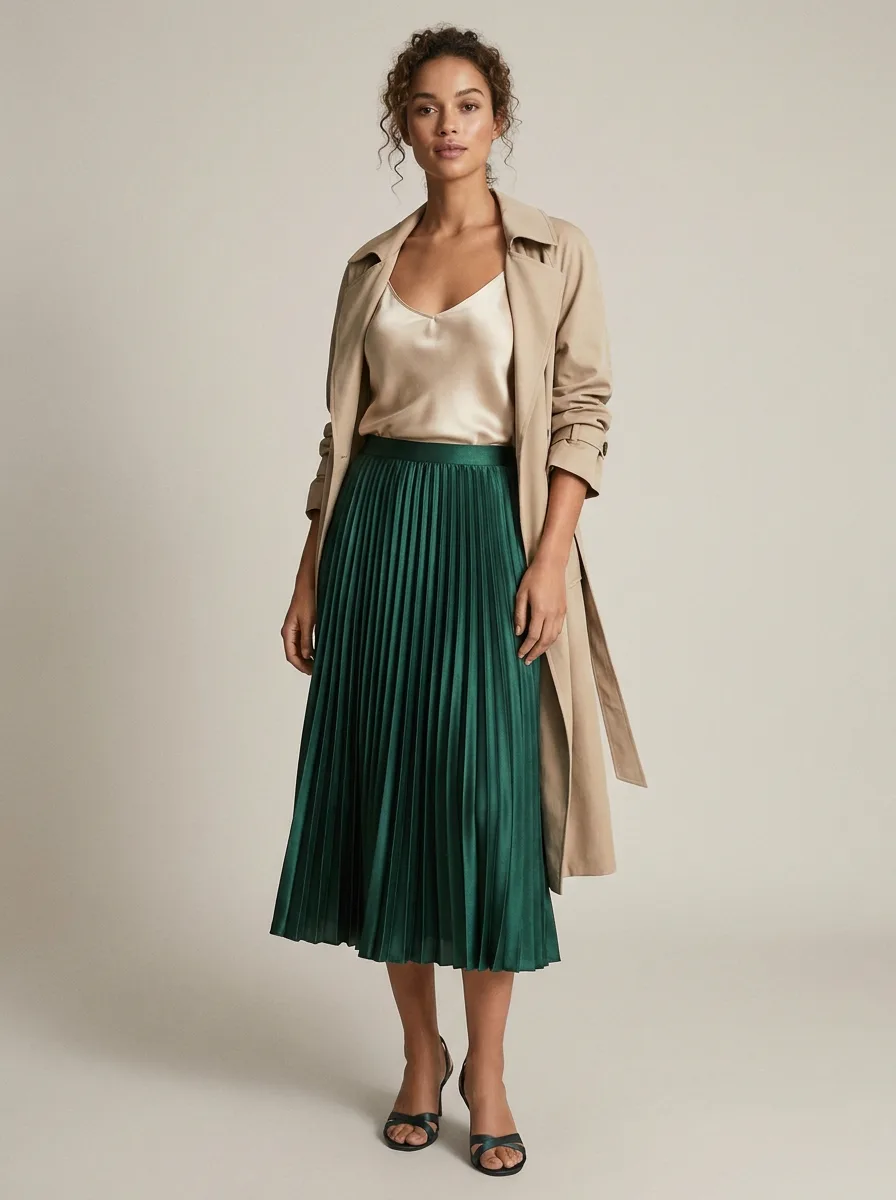
Satin on satin for a quietly luxe evening look, with the trench as an easy throw-on layer.
Shop the look
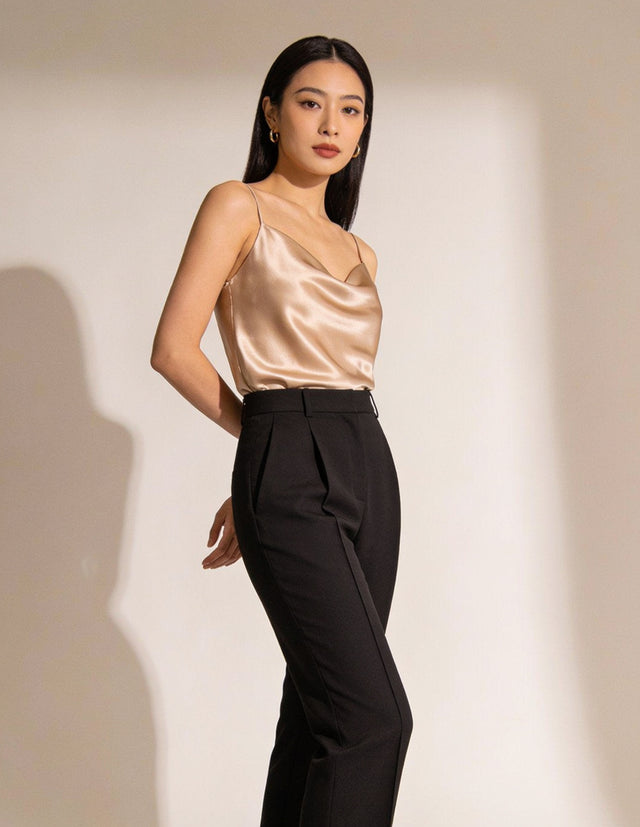 Satin Camisole Top
$46.00
Satin Camisole Top
$46.00
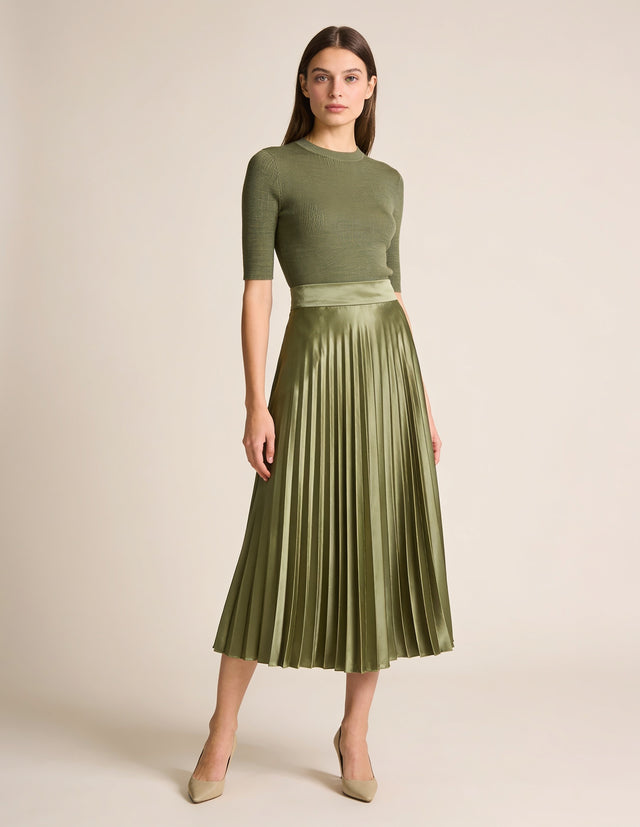 Pleated Satin Midi Skirt
$72.00
Belted Trench Coat
$189.00
Pleated Satin Midi Skirt
$72.00
Belted Trench Coat
$189.00
1 / 1
What this tab does
Product data from ShopifyReuse the product information you already keep in Shopify to enrich product pages — no double data entry.
Material notes & careBeyond fabric composition: sheerness, lining, season, and sustainability certifications. Set care expectations before purchase to reduce post-delivery surprises.
Features
ColorBeige
GenderFemale
SleeveLong
Material details
SheernessOpaque
LiningUnlined
SeasonAll season
CareMachine wash, max 30°CDo not bleachDo not tumble dryIron, high (max 200°C)Do not dry clean
What this tab does
Q&AShow apparel-specific FAQs like "Is it see-through?" and "Should I size up?" on the product page, and support fewer pre-purchase inquiries.
How do I care for pieces with delicate details, like satin or tulle?
Hand wash or dry clean satin to protect the sheen, and spot-clean tulle whenever possible. Machine washing can crush pleats and snag delicate netting.
How should I measure myself for the size chart?
Use a soft tape measure over close-fitting clothing: chest at the fullest point, waist at the natural waistline, and hips at the widest point. Compare those numbers to the chart's row, not to the label size.
Does this have stretch?
Our slim jeans and leggings use stretch fabric blends for ease of movement; structured pieces like the oxford shirt and overcoat are woven without stretch. The Fabric & fit section notes it either way.
Is this fabric see-through?
Lightweight wovens like linen and satin can be slightly sheer in bright light. Check the Fabric & fit section on the product page — any piece with noticeable sheerness calls it out there.
How do I find my correct size?
Check the size chart on each product page and measure yourself rather than going by your usual size — cuts vary between styles like relaxed tees, slim jeans, and tailored coats. If you're between two sizes, sizing up gives a more relaxed fit and sizing down gives a closer one.
Feature index
Every feature, in a form AI can read
Every feature below is written into the product page's HTML as real headings, tables and canonical values — a form search engines and AI assistants can quote accurately, in six storefront languages.
Size charts
68 templates with US / UK / EU / JP conversion, body and garment measurements.
Fit finder
A few measurements in, a size suggestion out — no account, no waiting.
Materials & care
Composition and care, in the shopper's language.
Fabric & fit notes
Transparency, lining, stretch, season and certifications as reusable profiles.
Model-worn info
Model height and the size worn — a real reference, not a guess.
Complete the look
Outfit examples that link to the items worn.
Q&A
Per-product questions and answers that clear doubts before purchase.
Fit feedback & size confidence
Buyers vote runs small / true / large; agreement earns a confidence badge.
Problem & solution
Fix the information gaps that lead to returns and questions.
An unclear product page comes back as three costs: returns, support tickets, and daily busywork. Mitasu for Apparel reduces all three, right on the product page.
53%
of clothing returns come down to size or fit. Coresight Research, via PRIME AI

Support fewer returns
Size charts, measurement guides, model-worn info, and fit feedback communicate sizing before purchase — helping reduce size-related returns.


Aim for fewer inquiries
Answer "Is it see-through?" and "Should I size up?" right on the product page with Q&A, before the email arrives.


Without adding busywork
Size charts, material notes, and Q&A are templates you create once and reuse. Bulk-assign them to many products and keep product data light to manage.
See the results
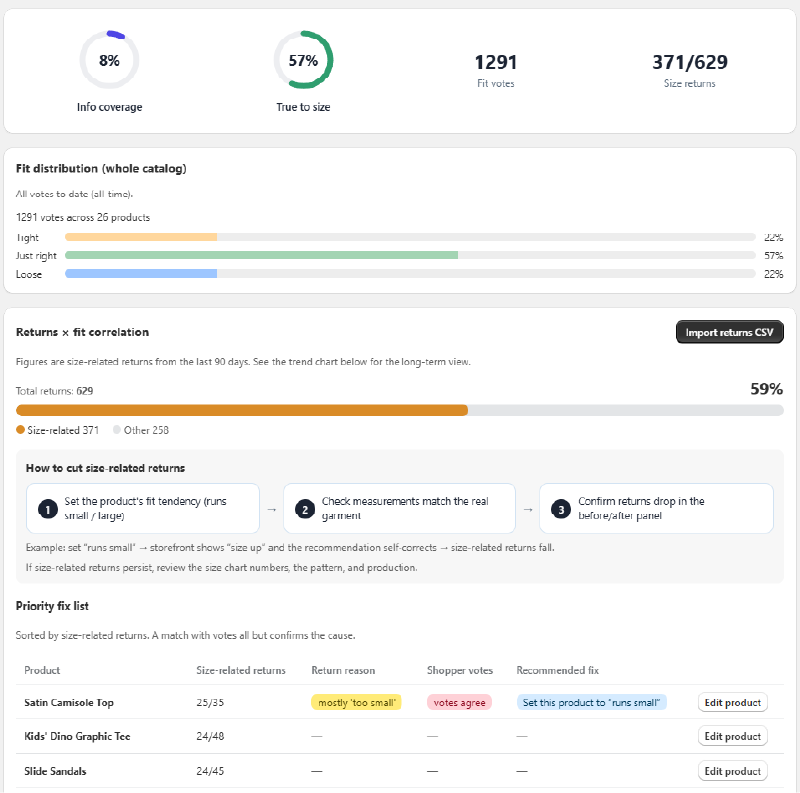
See which products — and which sizes — come back.
- Fit-vote distribution (runs small / true to size / runs large)
- Share and trend of size-related returns
- A prioritized list of products to review first
Return-reduction analytics is a Pro feature — try it free for 30 days.
Why Mitasu for Apparel
More than a size chart.
Mitasu for Apparel is not "just a size chart app." It fills the information gaps that lead to returns and inquiries, reducing pre-purchase doubt for apparel stores. Most sizing apps stop at the chart — everything else means stacking more apps.
The usual way: stack apps
A size-chart app, a styling app, a Q&A app… each adds its own script to your storefront, its own monthly bill, and one more thing to break when your theme updates.
The Mitasu way: one block
Size charts, fit finder, materials & care, model-worn info, complete the look, Q&A and certifications — together in one Theme App Block. No global script, one flat plan, free to start.
Deep where it matters. Light everywhere else.
Built only for apparel
Not a generic tool stretched to fit. Every feature is shaped around clothing and how it wears.
Genuinely lightweight
Runs on a Theme App Block alone. No global scripts, no heavy AI, no external APIs — pages stay fast and your theme stays stable.
Your data stays in your store
Everything is stored inside your store — and it stays there even after you uninstall. No external database, no lock-in.
Simple flat pricing
A predictable monthly plan with no usage or per-order fees — and a free plan to start.
Setup
Simple by design: create templates, assign to products.
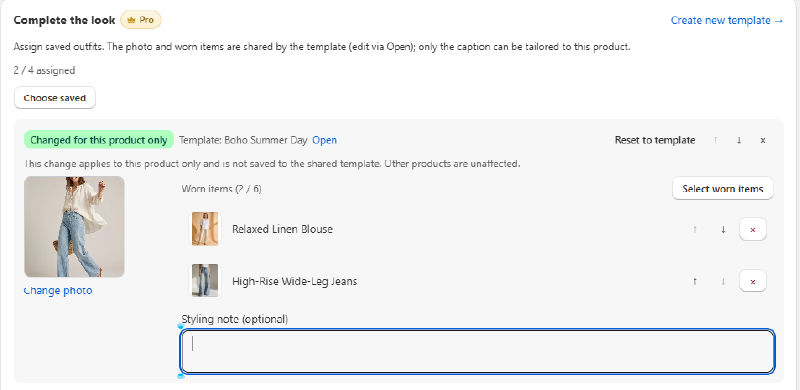
Create templates
Save your go-to product info as a template. Start from a sample in seconds.
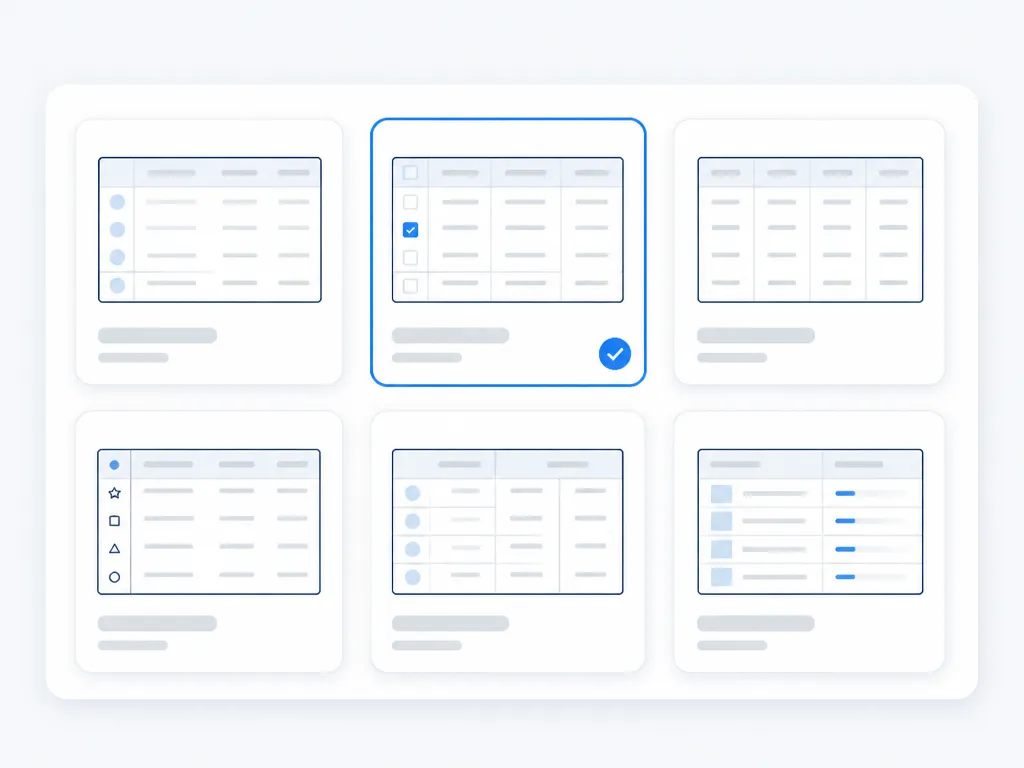
Assign to products
Assign a template to products — bulk assignment in one click.
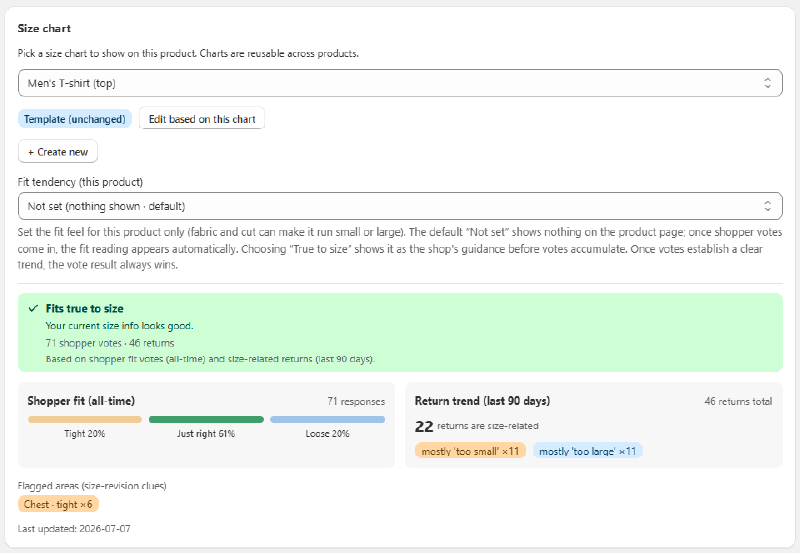
Override where needed
Keep the template; override just what differs on a single product.
One-time · on install or theme change
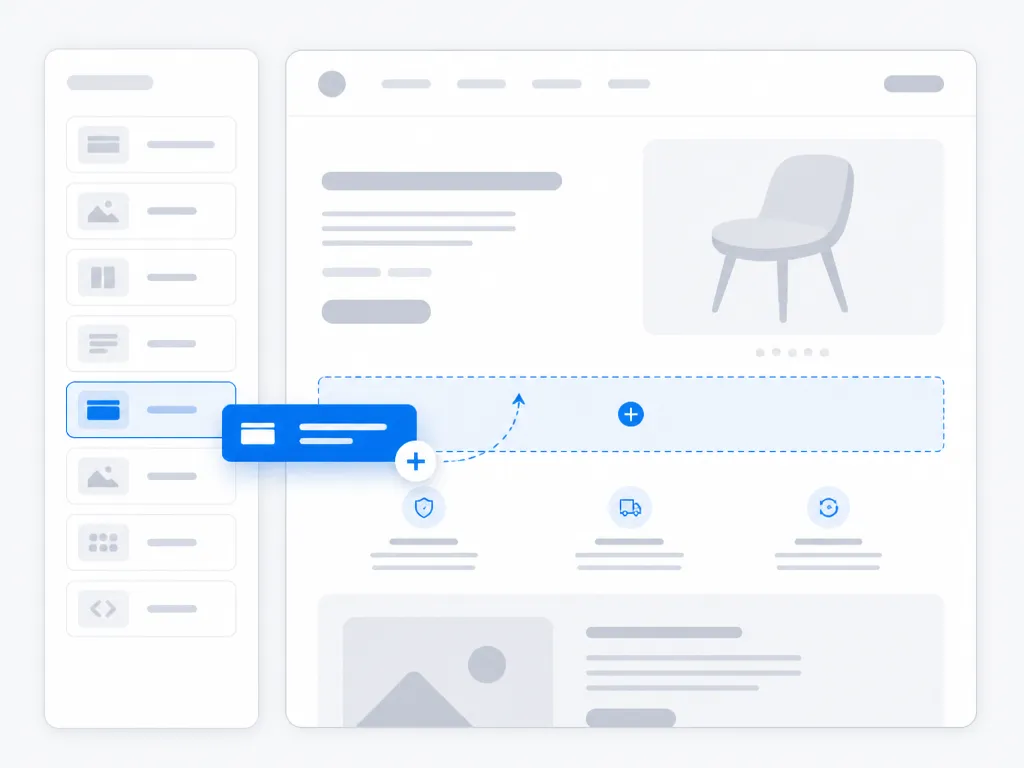
Place the App Block
Place the block once in the theme editor — it updates automatically after, with no setup each time. Storefront supports 6 languages.
Day-to-day operations
It doesn't stop at setup — it stays light to run.
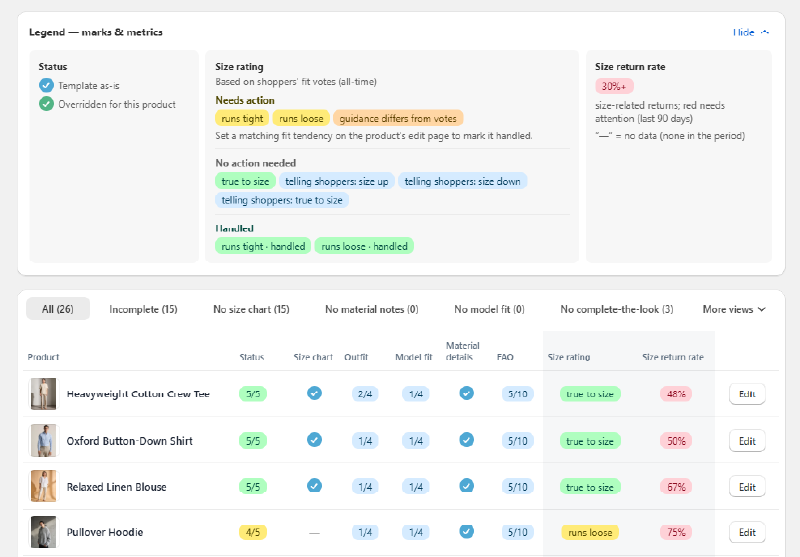
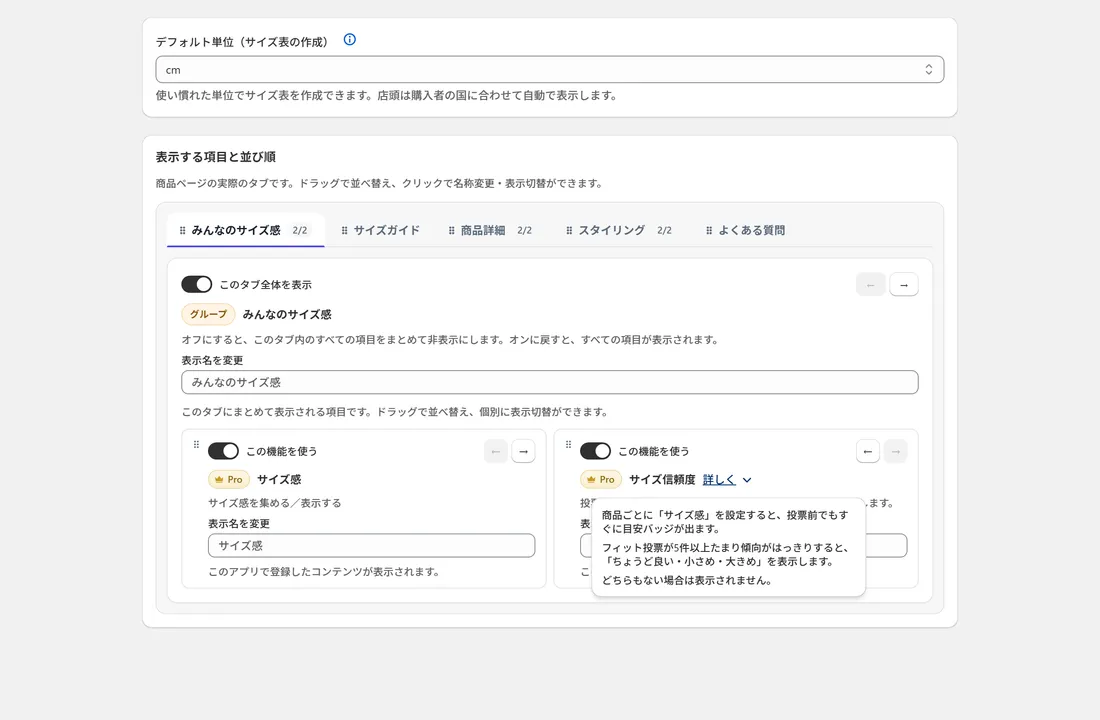
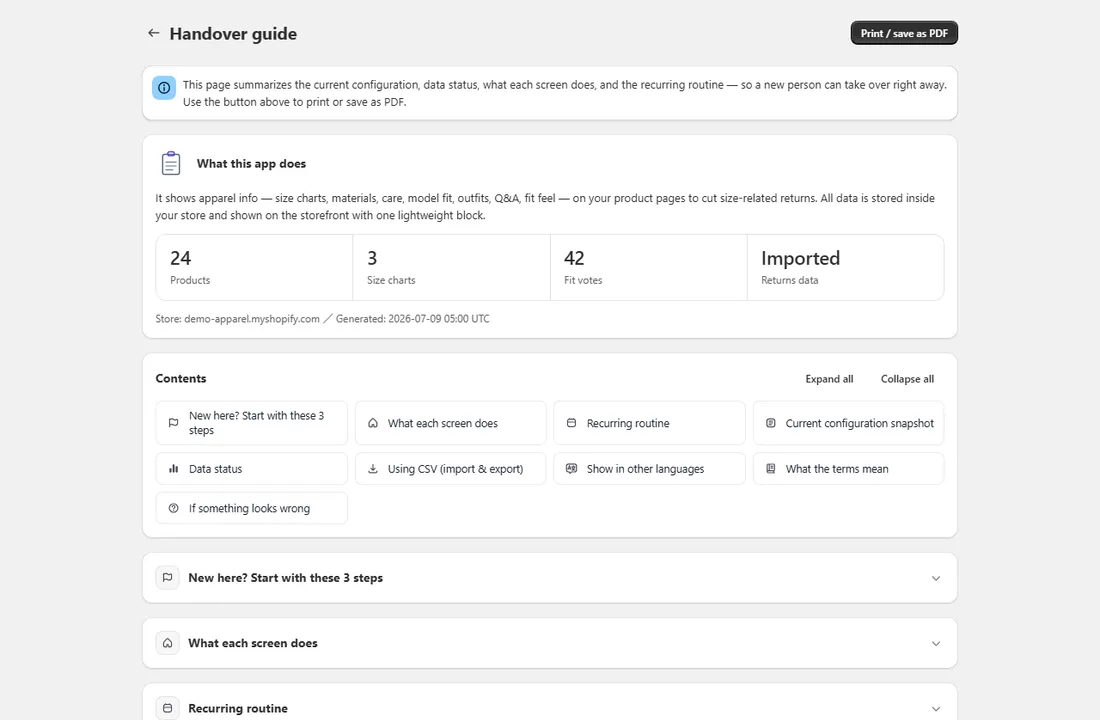
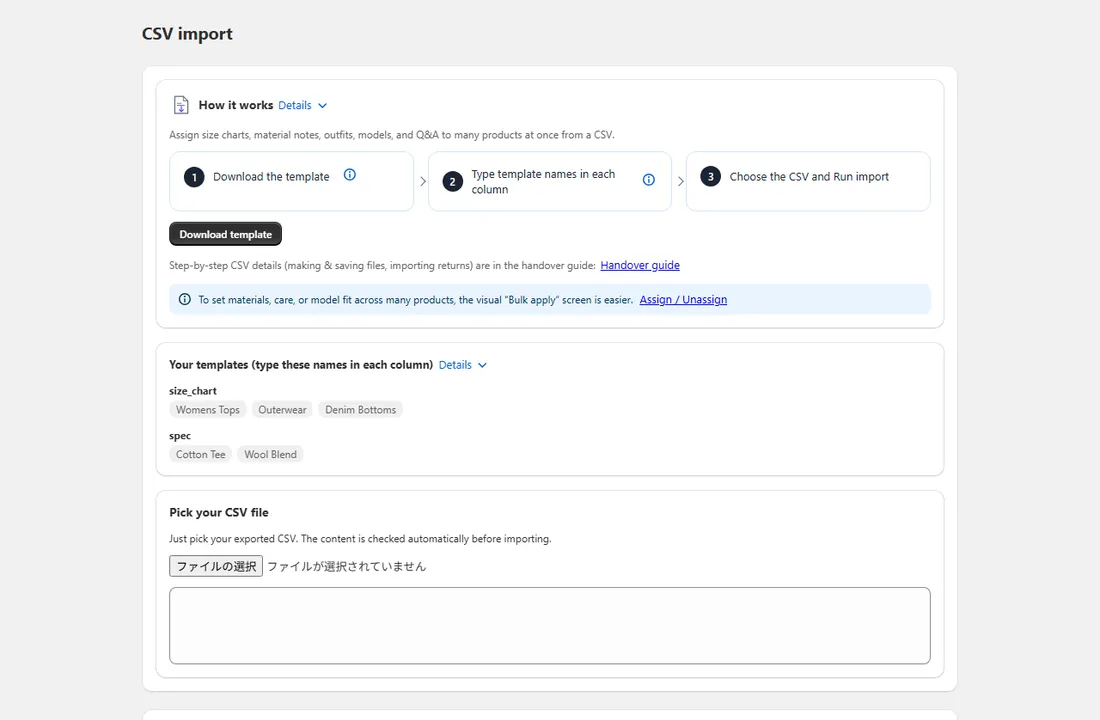
Manage product info in bulk with templates and switch off what you don't use. A plain-language admin and a printable guide let anyone on your team take over right away, and you can import or export size charts and content by CSV whenever you need.
Plans & pricing
Start free, then add only the features you need.
The essentials that reduce pre-purchase doubt are free forever. Move to Pro whenever you need richer product pages and analytics.
 01
01
Just starting out
Launch a product page that looks established from day one — no code and no design skills needed.
 02
02
Switching from a heavier app
Heavy, pricey, hard to manage — the escape route from that app. Your data stays inside your store when you switch.
 03
03
Running lean as you grow
More products, same page speed and the same light workload. Built for small teams.
30-day free trial
Every install opens with 30 days of full Pro. No card needed. When the 30 days are up it switches back to Free by itself, so nothing starts charging unless you choose it.
Free
Free
Free forever · no card needed
Core features for reducing pre-purchase uncertainty with size charts and product information.
Start free Popular
Pro
$12.99/mo
or $129.99/year (save ~2 months)
Everything in Free, plus richer pages, analytics & bulk assignment.
Try Pro free for 30 days| Feature | Free | Pro |
|---|---|---|
| 68 size charts, measurement diagrams & fit finder | Included | Included |
| Materials & care, Q&A | Included | Included |
| Reusable templates, per-product overrides, CSV export, handover guide | Included | Included |
| Model-worn info, complete the look & material notes | Not included | Included |
| Fit votes, per-variant material notes & fit-tendency display | Not included | Included |
| Bulk assignment & CSV import (size charts, returns) | Not included | Included |
| Return-reduction analytics & measurement | Not included | Included |
| 1-click setup, zero global scripts, 6 storefront languages, data in your store, GDPR-aware | Included | Included |
Founding stores
The first ten stores get six months of Pro free and priority support, in exchange for telling us what the app is missing.
See what's involvedFAQ
Mitasu for Apparel FAQ
Setup
Is setup difficult?
No.
After install, the dashboard walks you through three steps: choose the features you’ll use, create a template (size charts and more come pre-built), and assign it to products.
Placing the block on your product page is one click from Settings — no theme code, no developer.
Size charts & fit
How do I build size charts? Does it work beyond tops — pants, shoes, bras and hats?
68 templates cover tops, pants, dresses, skirts, outerwear, shoes, socks, bras, hats and more.
Pick one and the right columns (chest, waist, inseam, foot length, under-bust, head circumference…) appear automatically, with cm/inch and US/UK/EU/JP sizes where a conversion applies.
Hats use a compact head-circumference table with its own measurement diagram.
Can I show a different size chart for each variant?
Not per variant, and that is a trade-off we chose on purpose.
The block never reads your theme’s HTML and never hooks the variant picker — which is what keeps it working through theme updates — so it cannot swap the table when a shopper changes their selection.
One chart lists every size as its own row instead, so the whole range is visible at once without clicking through the options.
A product that genuinely needs two different tables reads better as two products.
Material notes are the exception: they can differ per variant, and each is shown with its variant’s name (Pro).
How do templates work when I have hundreds of products?
You build a template once — the 68 garment templates start with the columns and standard values already filled in — and assign it to every product that shares those measurements.
Pro assigns to many products at once.
The number of templates you need is set by how many product groups can share one measurement table, not by how many products you sell.
Can I change the information on one product without affecting the others?
Yes.
A product inherits from the template it’s assigned to, but you can override any field on that one product.
The change stays there — the template, and every other product using it, are untouched.
Do shoppers see centimetres or inches?
Whichever suits where they are.
The block follows the market the shopper is browsing from — the United States and Canada see inches and pounds, everywhere else sees centimetres and kilograms.
You enter each measurement once, in whichever unit you prefer.
Can I bring in size charts I already have?
Yes, by CSV import on Pro.
Export is free on every plan, so nothing you enter is trapped here — you can take your charts out whether or not you are paying.
Product information
Can I add model-worn information?
Yes, on Pro.
You can show the model’s height and the size they are wearing, so shoppers have something to compare themselves against.
Photos rarely state it, which is why it turns into a question.
Can I show material details?
Yes.
Fabric composition entered in Shopify’s standard product fields appears in the block on the free plan.
Pro lets you add your own notes on top — how the fabric stretches, how it drapes, how heavy it feels — the things a composition line alone doesn’t convey.
Can I display care and washing instructions?
Yes, as text: care information entered in Shopify’s standard product fields appears in the block on the free plan.
We deliberately do not render the ISO laundry symbols — those symbol sets are licensed, and we won’t ship artwork we can’t license for use in your store.
Fit feedback & returns analysis
What is fit feedback? Does it collect personal data?
Shoppers can tap once to say an item ran small, true to size, or large.
Only anonymous counts are stored — no personal data.
Once votes accumulate, the product page can show real fit confidence like “most say true to size”, which reassures the next buyer.
(Pro feature)
How does returns data come in? Does it sync with my order system?
Returns are imported from a CSV you upload — there is no automatic sync with orders or inventory, by design, to keep the app light and stable.
Reasons in English or Japanese are auto-classified into too small / too large / other, so you can see exactly which product’s info to fix.
(Pro feature)
Plans & data
What’s the difference between Free and Pro? How does the 30-day trial work?
Free covers size charts, browser-based fit finder, product FAQ, basic material/care display and CSV export.
Pro adds model-worn info, complete-the-look, detailed material/fit profiles, fit feedback, size confidence, returns analysis, CSV import and bulk assignment for a flat $12.99/month (or $129.99/year).
Every install starts with all Pro features free for 30 days — no credit card; your data stays even if you don’t upgrade.
What happens to my data if I uninstall?
It stays in your store.
Everything you entered lives in Shopify’s standard storage, so uninstalling deletes nothing, reinstalling picks up right where you left off, and you can export to CSV anytime.
No lock-in — on purpose.
Display & support
Is the size recommendation AI?
No — and that’s deliberate.
Recommendations are rule-based: the measurements a shopper types are matched against your size chart using the sizing principles behind the European EN 13402 standard and JIS, and each suggestion explains itself (e.g. “the length runs about 4 cm shorter than yours”).
Everything runs in the shopper’s browser — nothing is sent to your store or to us, and there are no per-use fees.
And unlike AI recommenders, it needs no purchase history to learn from, so it is just as accurate on day one of a brand-new store.
Will it slow my store down or conflict with my theme?
Lightness is the core design goal.
The storefront runs as a Shopify App Block only, with zero global scripts; the only JavaScript is the size estimate and the fit vote, both confined to the block.
That’s how we avoid the “heavy, crashes, breaks my theme” problems common in this category.
Can it display in my shoppers’ languages?
The product-page display supports English, Japanese, German, French, Spanish and Italian (anything else falls back to English).
The admin follows your Shopify account language (English/Japanese).
Where do I get support?
Through the support contact on the App Store listing, or via mitasu.tech’s support page.
Inside the app, the printable Handover guide summarizes your settings, data status, each screen’s role and a weekly/monthly routine — handy for staff handoffs too.
START TODAY
Manage the product info that reduces pre-purchase doubt — with templates.
Update shared information in one place, adjust per-product details individually. Size charts, Q&A, and material basics are free to start — begin building a store with fewer returns and inquiries today.
View on the App Store Read the FAQ